Your entire office. In one place.
Timeline, cost breakdown, moodboard, and letters: text with letterhead, tables with formulas, boards and PDFs — right alongside the project and shared with clients on request.
Text · Tables · Boards · PDFs · everything in CreatorDesk
Sign up for free · Try all features for 14 days

What happens in the video
- Photographer? Word, Excel and three attachments?
- Client: "Can you send me the run-of-show again?" – Photographer: "Sure, I'll send it over." – Client: "Is this the latest version?" – Photographer: "One sec … runofshow_final_v3.docx" – Client: "And the cost breakdown?" – Photographer: "Coming right after as an Excel file."
- Three apps. Ten attachments. There's an easier way.
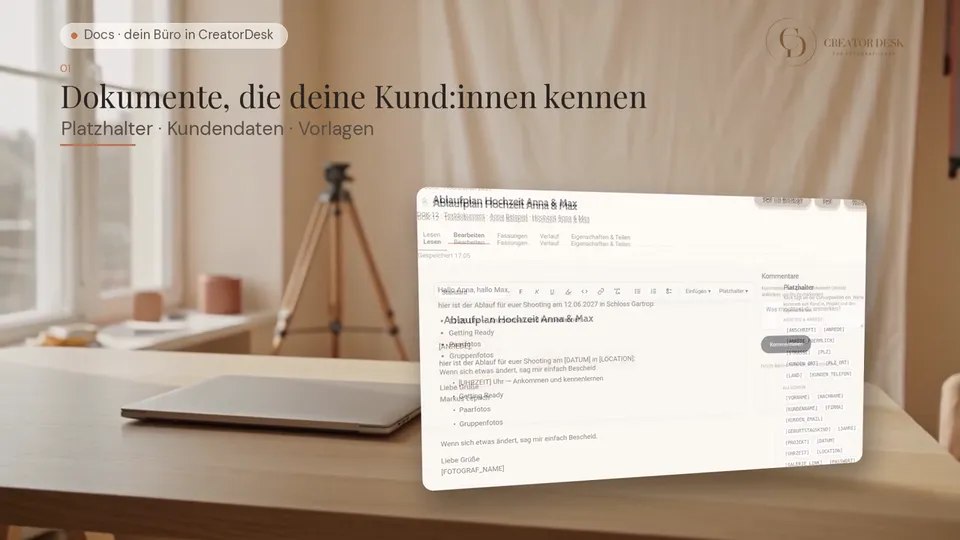
- Documents your clients will recognise: placeholders · client data · templates
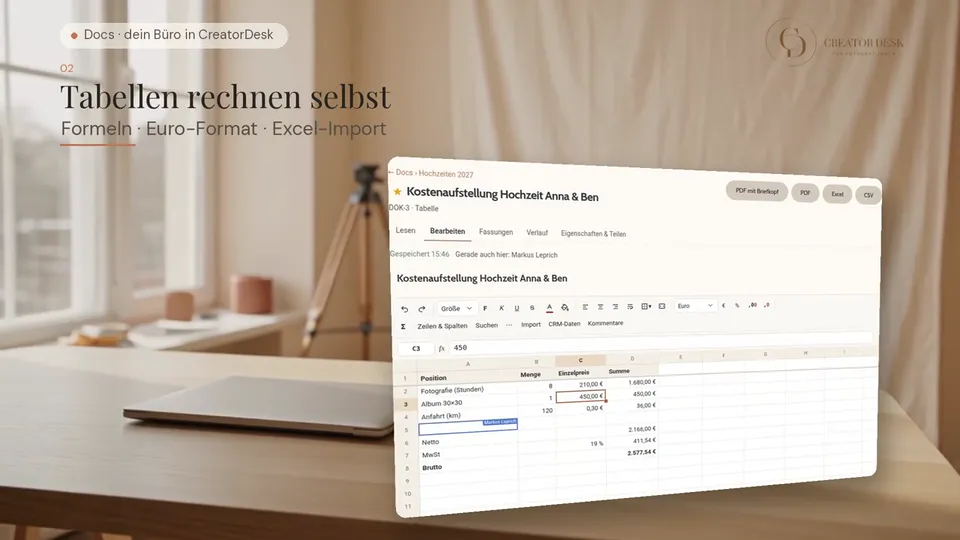
- Tables that calculate themselves: formulas · euro format · Excel import
- Boards for moodboards and run-of-show: notes · frames · approval
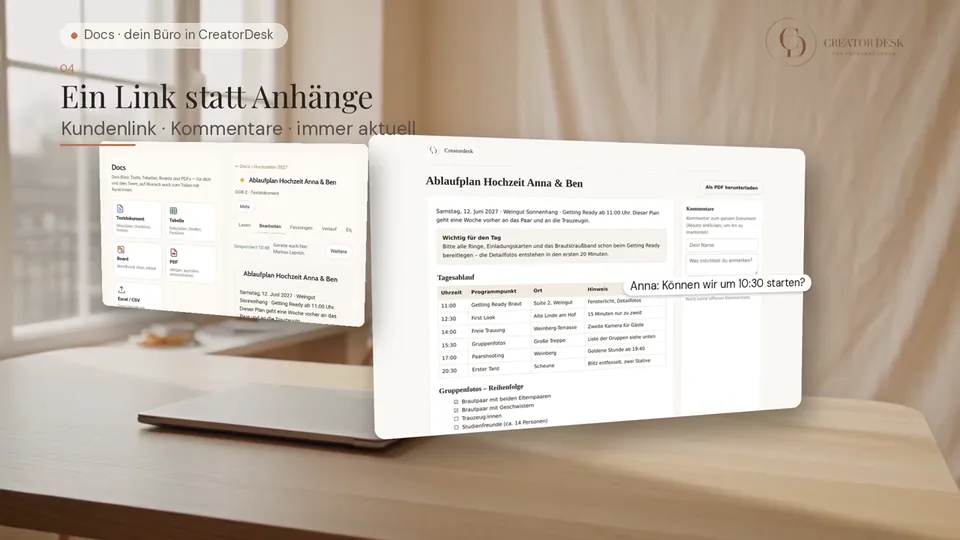
- One link instead of attachments: client link · comments · always up to date
- Your whole office. In one place. – Placeholders from the client file · Letters with letterhead · Tables with formulas · Excel import · Boards & moodboards · Client link with comments
- Your office. Your CreatorDesk. Texts, tables and boards. Right where your clients are.
Here's how it works
-
 1
Document with client data
Choose a template — Docs fills in the name, date, and address from the client record.
-
 2
Tables that calculate
Cost breakdown or shot list with formulas and currency formatting — no Excel needed.
-
 3
One link instead of attachments
Clients read in the browser and comment directly on the document. Always the latest version.
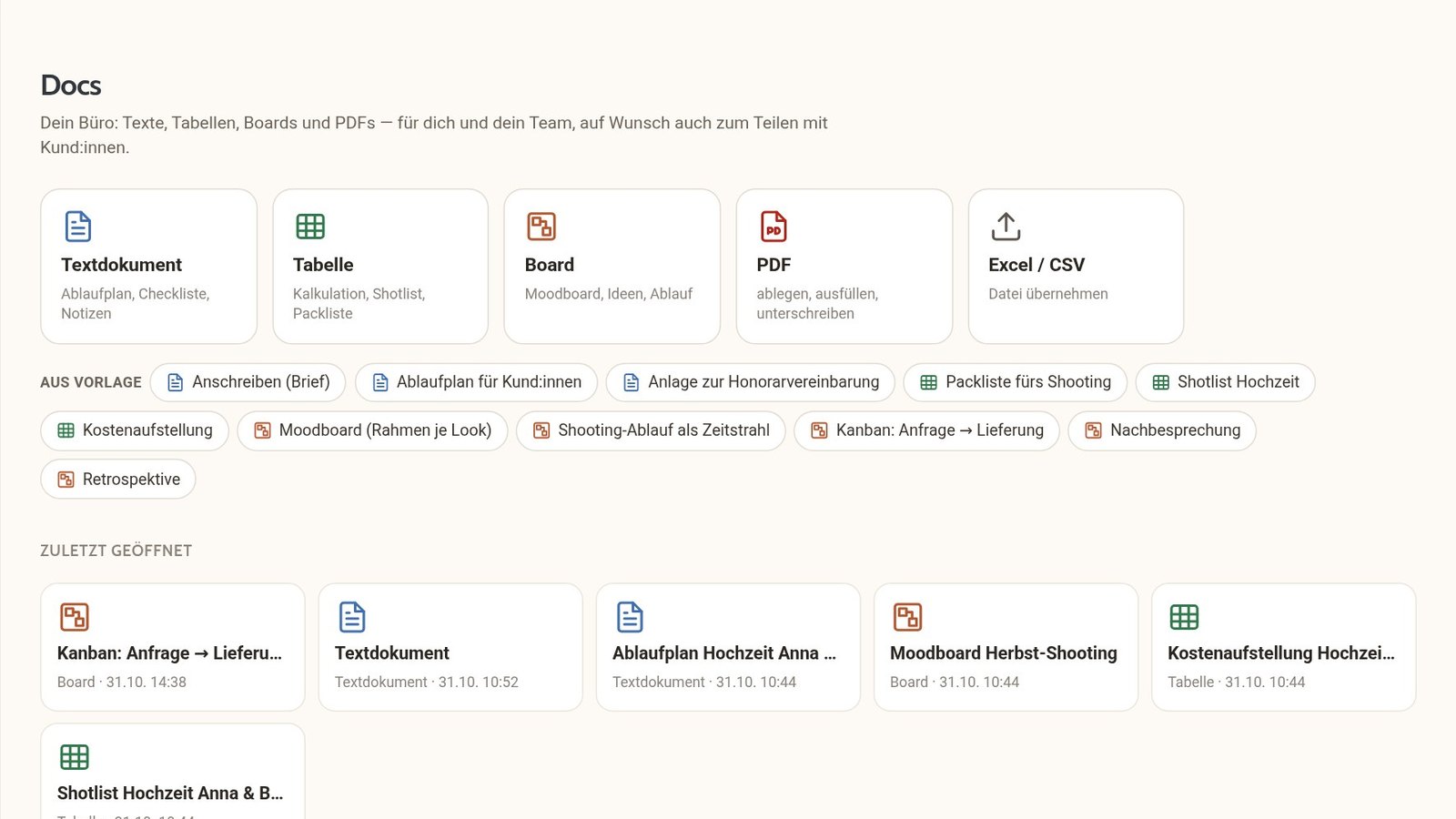
Everything that belongs to a project, in one place
No more searching through Downloads folders and email attachments. Every document lives with the client, in the project, or in your own folder — with versions, history, and a trash bin.
Looks like your studio
PDF with your letterhead, logo, and footer from your profile. Clients won't notice it wasn't Word — just that it was faster.
Placeholders instead of retyping
[VORNAME], [DATUM], [ANSCHRIFT], or [ANREDE] are filled in from the client and project, including for couples and families: "Dear Anna and Max".
Share with clients
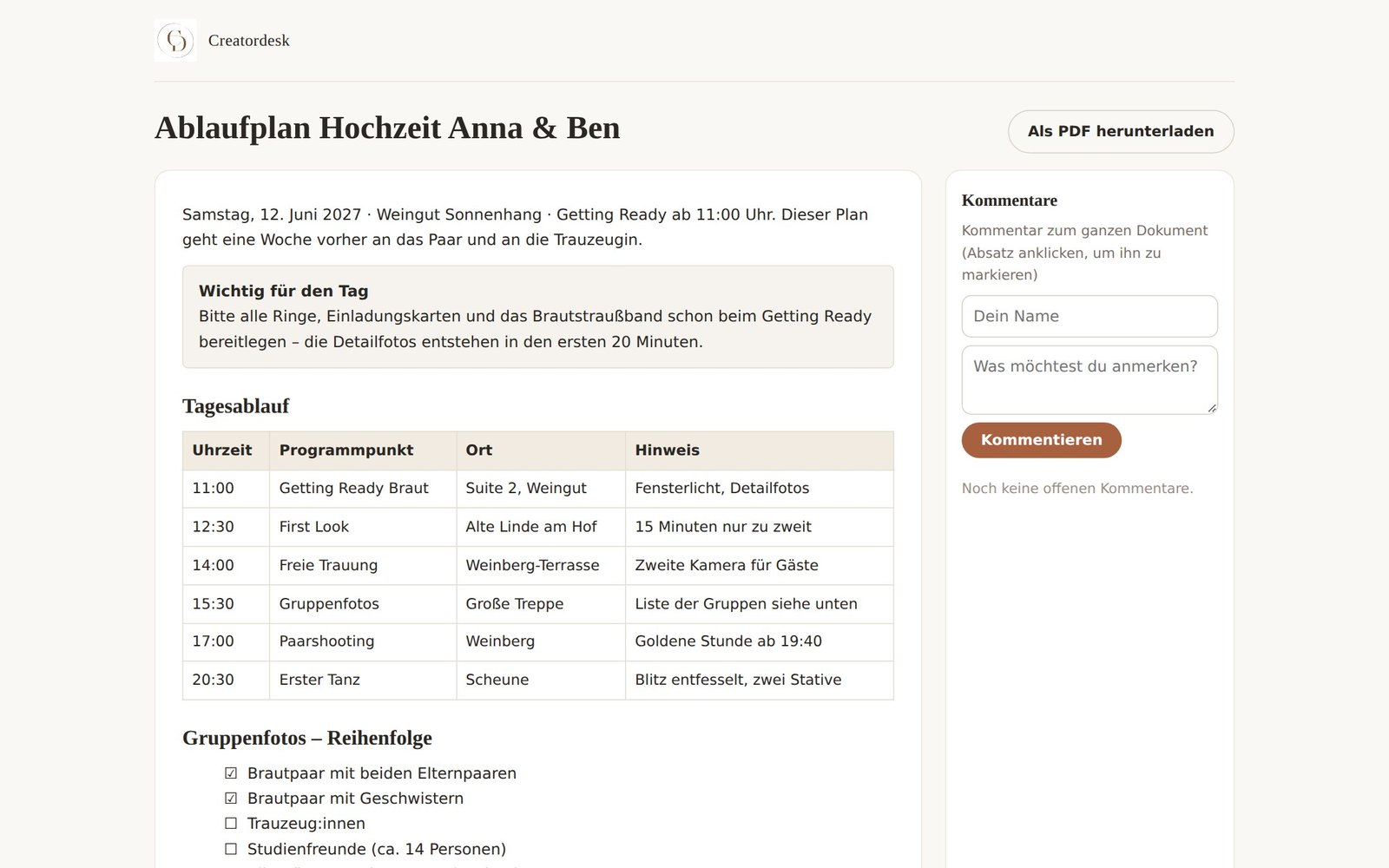
A client link, optionally with a PIN and expiration date. Clients read it in the browser, download the PDF, and comment directly on a paragraph. They can't edit anything.
Built for mobile
Create documents, edit text and tables, update boards — on the go. When the connection is poor, the editor saves your work and syncs it as soon as you're back online.
Text documents and letters
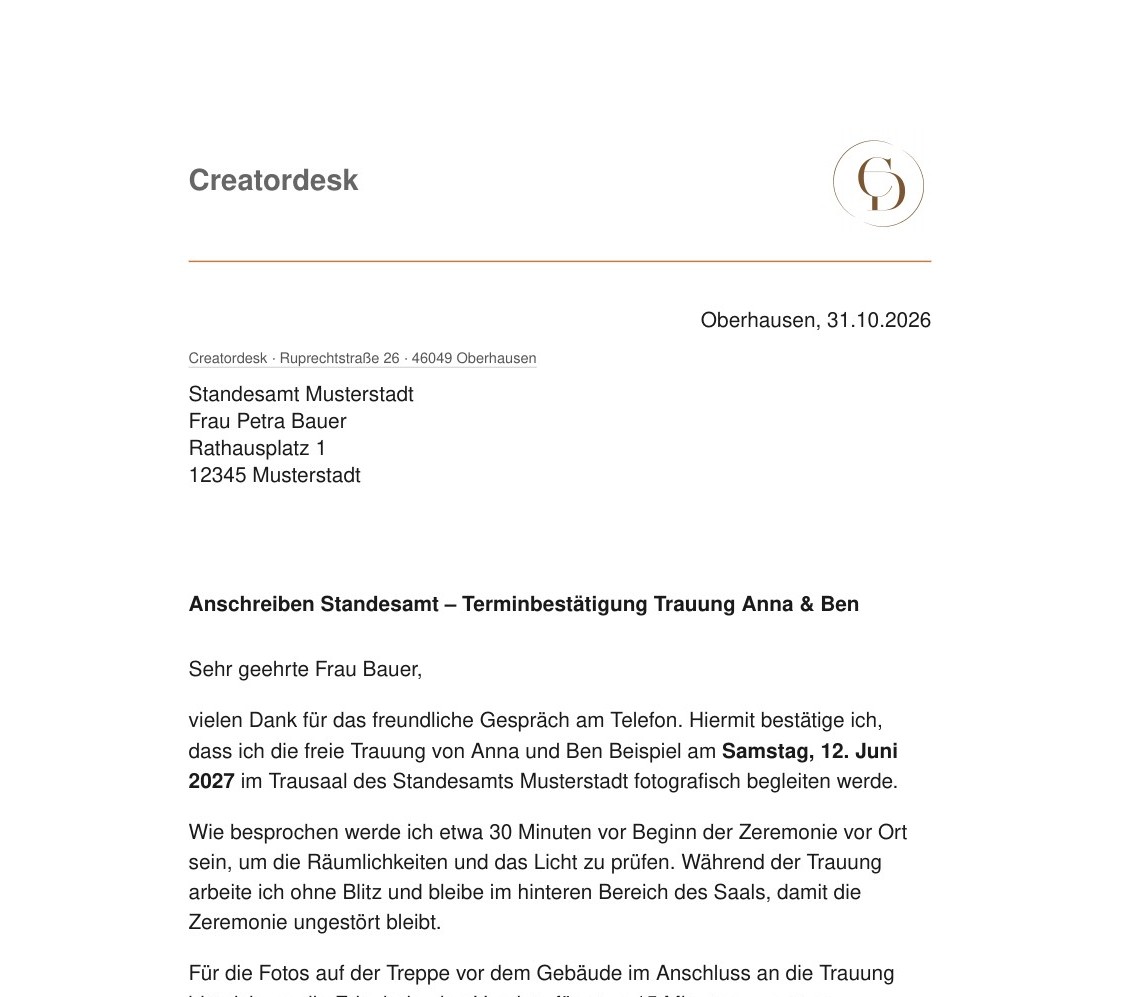
The editor works just like you'd expect: paragraph styles, bold and italic, lists and checklists, tables, callout boxes, quotes. For letters to clients, registry offices, or venues, there's a letter mode with an address field, a sender line for window envelopes, date, and subject.
- ✓PDF with letterhead or as a Word file
- ✓Templates: cover letter, run-of-show, fee agreement
- ✓Insert client address from the client record anywhere
- ✓Forms from the form builder directly in the document
Tables with formulas — no Excel needed
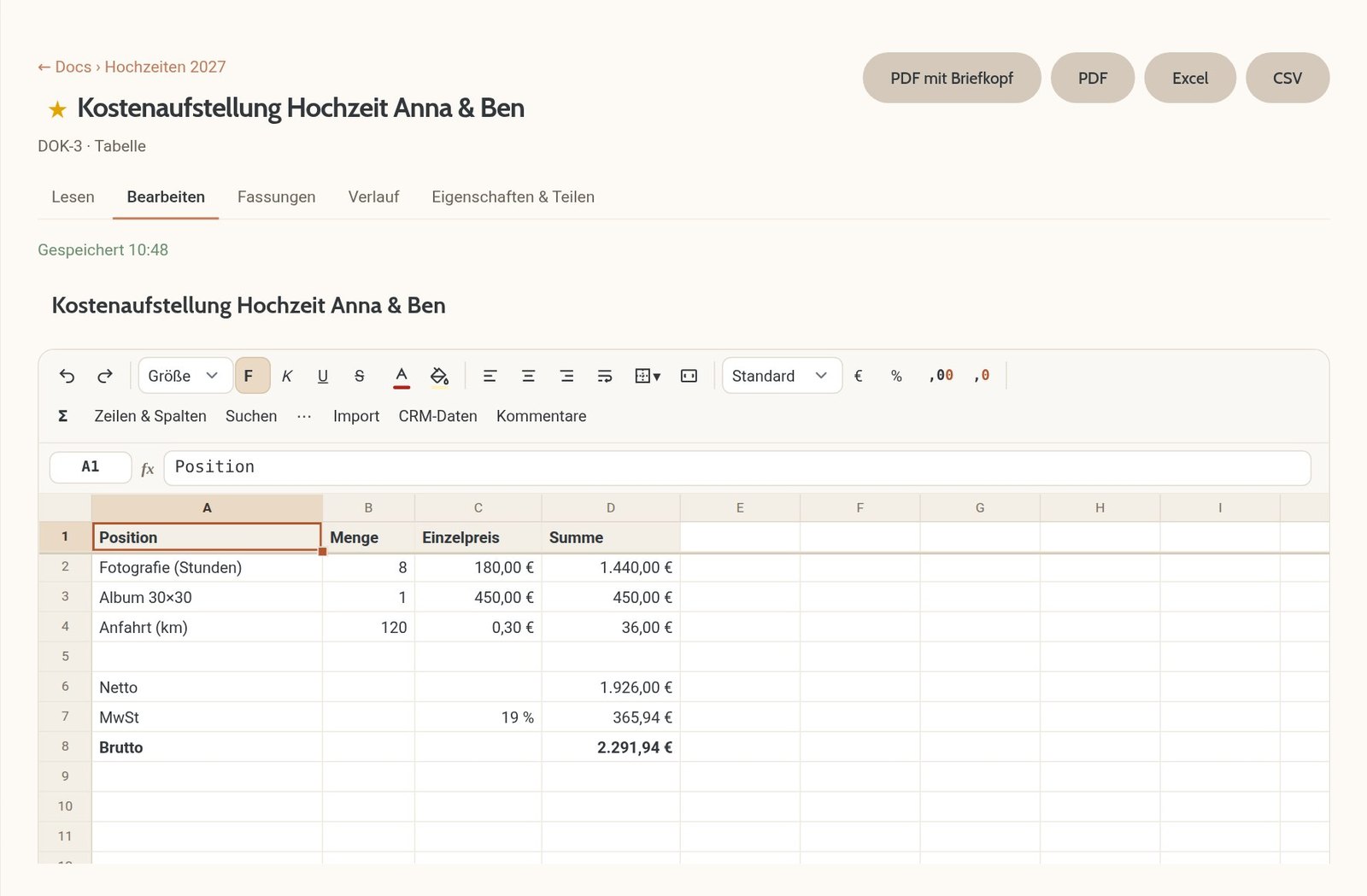
Cost breakdown, shot list, packing list: the table calculates with SUM, IF, and more, supports euro and percentage formats, borders, colors, and conditional formatting. Use "CRM data" to pull in clients, projects, invoices, or galleries as a sheet.
- ✓Import Excel and CSV, export as Excel, CSV, or PDF
- ✓Validation rules, cell comments, charts
- ✓Placeholders in table cells too
Boards for moodboards and timelines
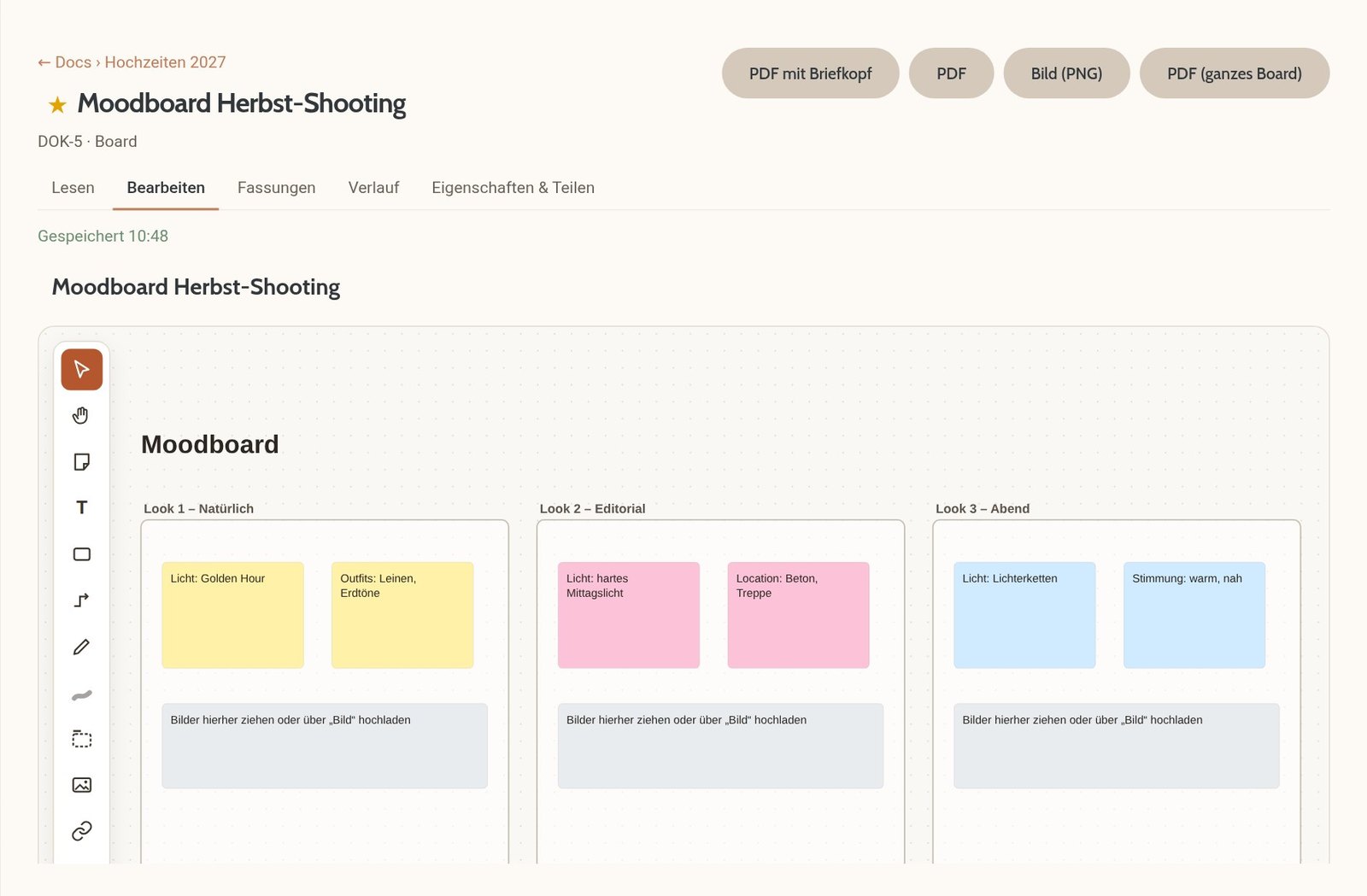
Notes, frames, images, arrows, and freehand sketches on an open canvas. Templates for moodboards, shooting timelines, Kanban, and debriefs. As a team you can vote and use a timer; presentation mode walks through the board frame by frame.
- ✓Links to documents, clients, invoices, and galleries
- ✓Export as PNG, SVG, or PDF at board size
- ✓Clients vote via the client link as well
Store, merge, fill out, and sign PDFs
The venue contract, the government form, the attachment to the fee agreement: store PDFs alongside the project, merge pages, rotate and split them, fill out forms, and sign them. Import your shooting guide as a PDF with one click, and every text document becomes a PDF with your letterhead.
Comments directly on the document
Clients get a link, not an attachment. They read it in the browser, download the PDF, and leave comments on the whole document or on a specific paragraph. New comments show up in your notification bell.
- ✓No login required, optional PIN and expiration date, revocable at any time
- ✓Docs PDFs directly as attachments in the mail editor
- ✓Assistant accounts only see documents shared with the team
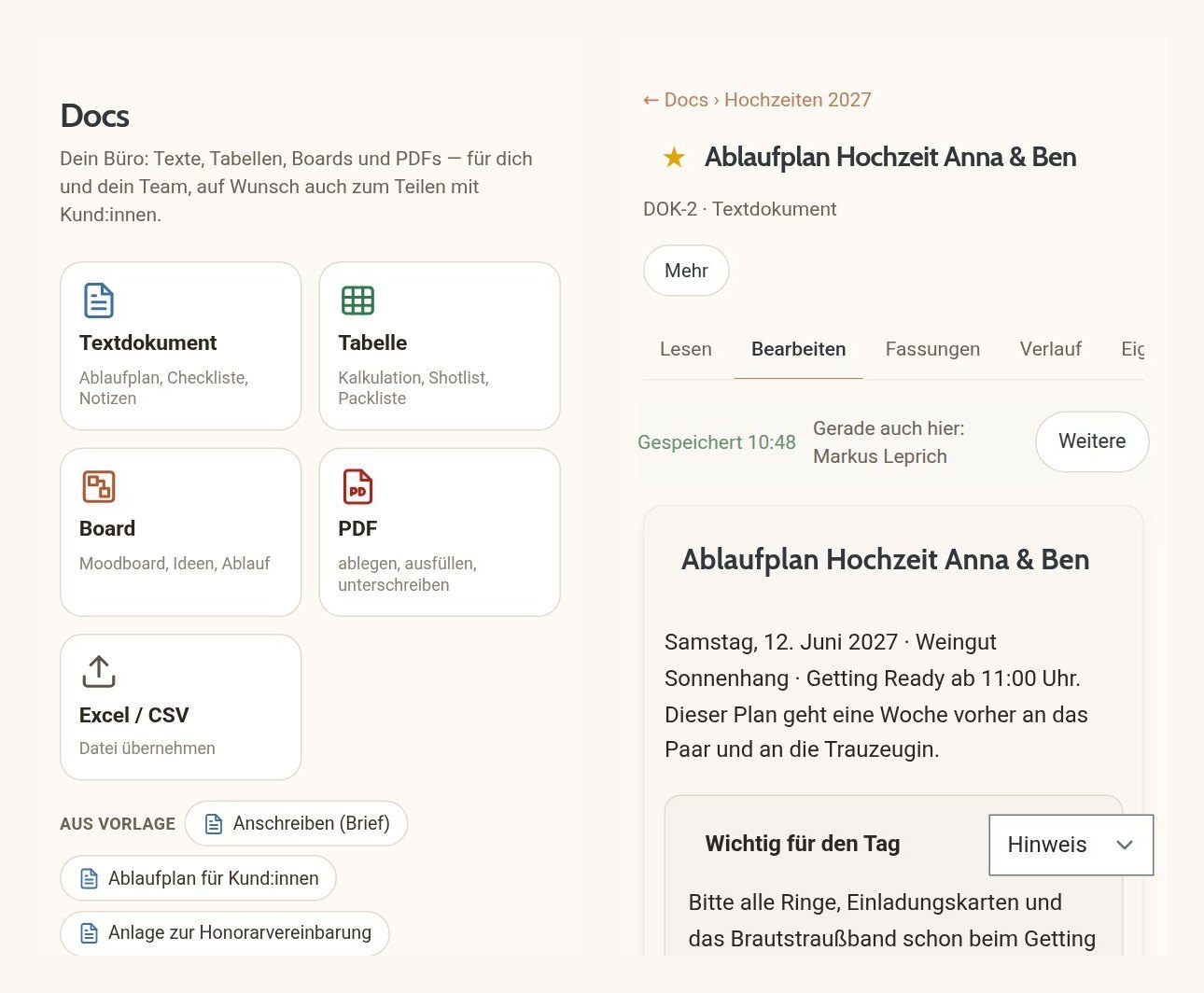
Keep working on the go
Add to the shot list on the train, adjust the run-of-show on location, reply to client comments on the go. Docs is built for small screens — with toolbars that stay at the bottom and pages instead of side columns.
Frequently asked questions
Ersetzt Docs Word und Excel?⌄
Für den Studio-Alltag ja: Ablaufpläne, Anschreiben mit Briefkopf, Kostenaufstellungen, Shotlists, Packlisten und Moodboards entstehen direkt in CreatorDesk. Bestehende Word- und Excel-Dateien importierst du, PDFs und Word-Dateien exportierst du jederzeit.
Können Kund:innen Dokumente bearbeiten?⌄
Nein, bewusst nicht. Über den Kundenlink lesen sie das Dokument im Browser, laden das PDF und hinterlassen Kommentare zum ganzen Dokument oder zu einzelnen Absätzen. Die Kontrolle über den Inhalt bleibt bei dir.
Wie kommt mein Briefkopf auf das PDF?⌄
Logo, Firmenname und Fußzeile kommen aus deinem Profil. Im Briefmodus bekommt das PDF zusätzlich ein Anschriftenfeld nach DIN 5008 mit Absenderzeile fürs Fensterkuvert, Datum und Betreff.
Was passiert mit gelöschten Dokumenten?⌄
Sie liegen 30 Tage im Papierkorb und lassen sich samt Fassungen, Kommentaren und Kundenlinks wiederherstellen. Jede Änderung ist im Verlauf nachvollziehbar, frühere Fassungen kannst du zurückholen.
In welchem Paket ist Docs enthalten?⌄
Docs ist in CreatorDesk Pro und Business enthalten. Business kann zusätzlich Shooting-Guides als PDF in Docs übernehmen und Dokumente für Assistenz-Accounts freigeben.
Guide: Your entire office in CreatorDesk · Offers, invoices & contracts · Shooting guide · Customer portal · Prices
Which plan?
- CreatorDesk Pro
- Docs complete: texts, letters, tables, boards, PDFs, and client links.
- CreatorDesk Business
- Everything in Pro, plus importing the shooting guide as a PDF and team sharing for assistant accounts.
Try free for 14 days — with all Business features.
No more three apps and five attachments.
Sign up for free and test all features for 14 days.