You take the photos. We turn them into content.
Your best images are sitting in finished galleries, and Instagram is waiting. The Content Studio gets them out of there: find images across all galleries, build Reels, carousels, Stories and entire campaigns from them, and place them as drafts in your Feed Planner. Only with images your clients have approved for advertising.
Test free of charge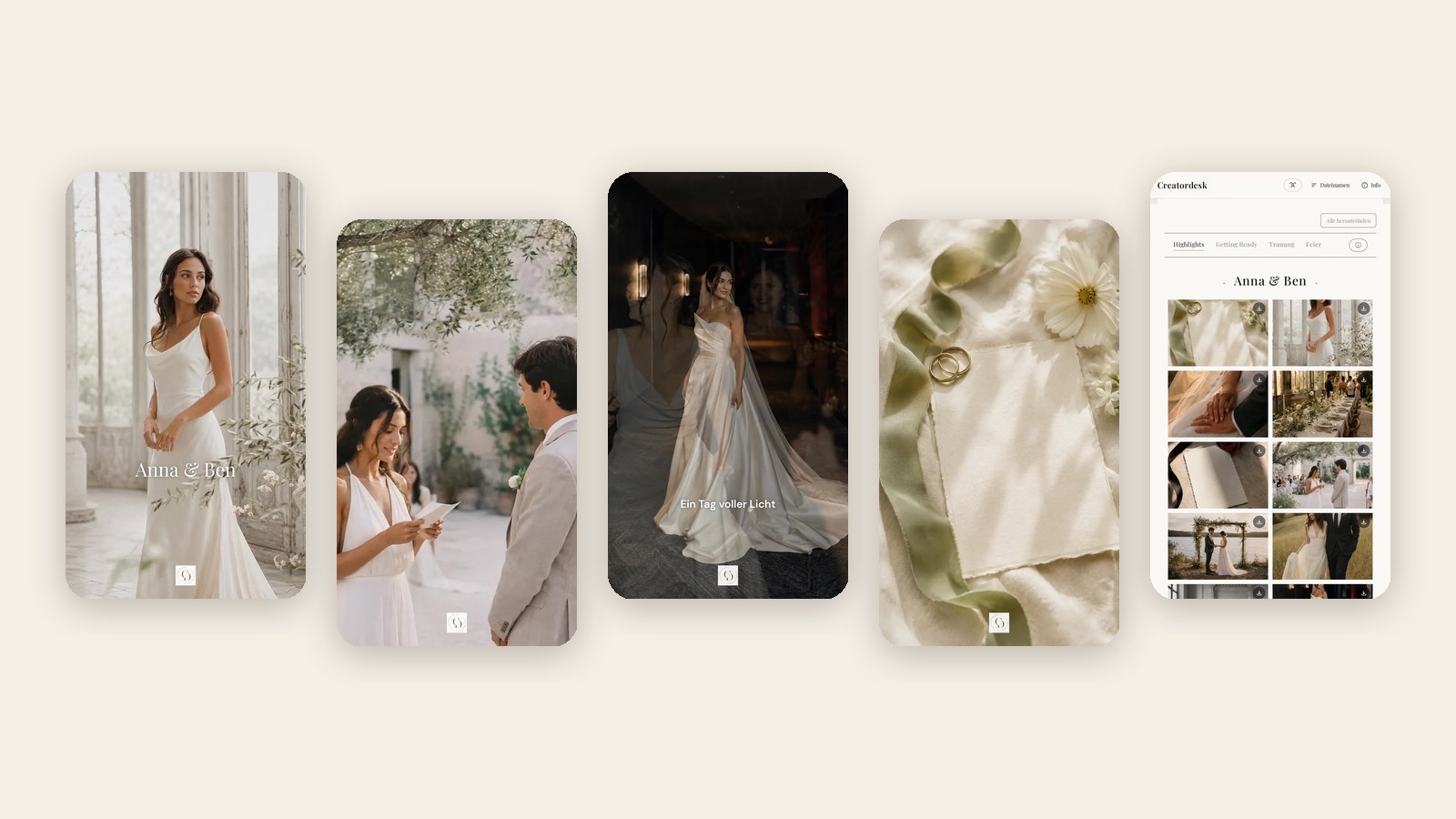
Aus einer Hochzeitsgalerie: vier Bilder aus dem Reel, rechts das Scroll-Video der Galerie.
From gallery to finished post
No downloading, no sorting in other apps, no re-uploading.
-
1
Find images
All galleries in one place: filter by gallery, shoot type, your selection, client favorites and fully edited images. You collect your favorite images in collections.
-
2
Choose a format
"What would you like to create?" — feed post, carousel, Story or Reel. Logo, colors and fonts come from your brand profile.
-
3
To the Feed Planner
Every piece of content lands as a dated draft in the Feed Planner and in the social media calendar. You decide what goes live and when.
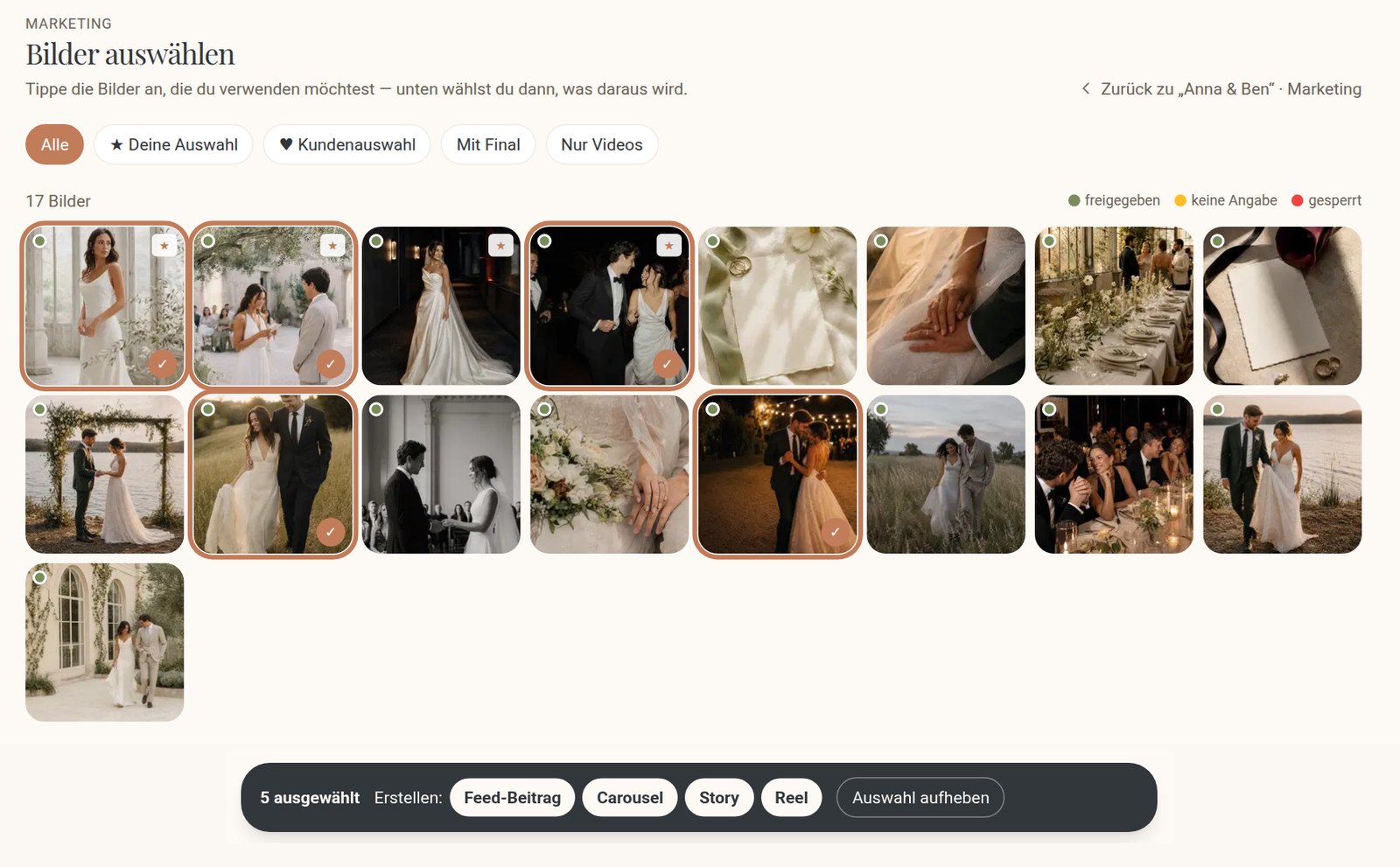
Der schnellste Weg: Marketing in der Galerie
Jede Galerie hat einen Bereich „Marketing“: Freigabe festlegen, mit einem Klick ein Reel oder Carousel aus deinen Lieblingsbildern starten, eine Kampagne planen oder die Galerie als Scroll-Video aufnehmen.
Reels from your images
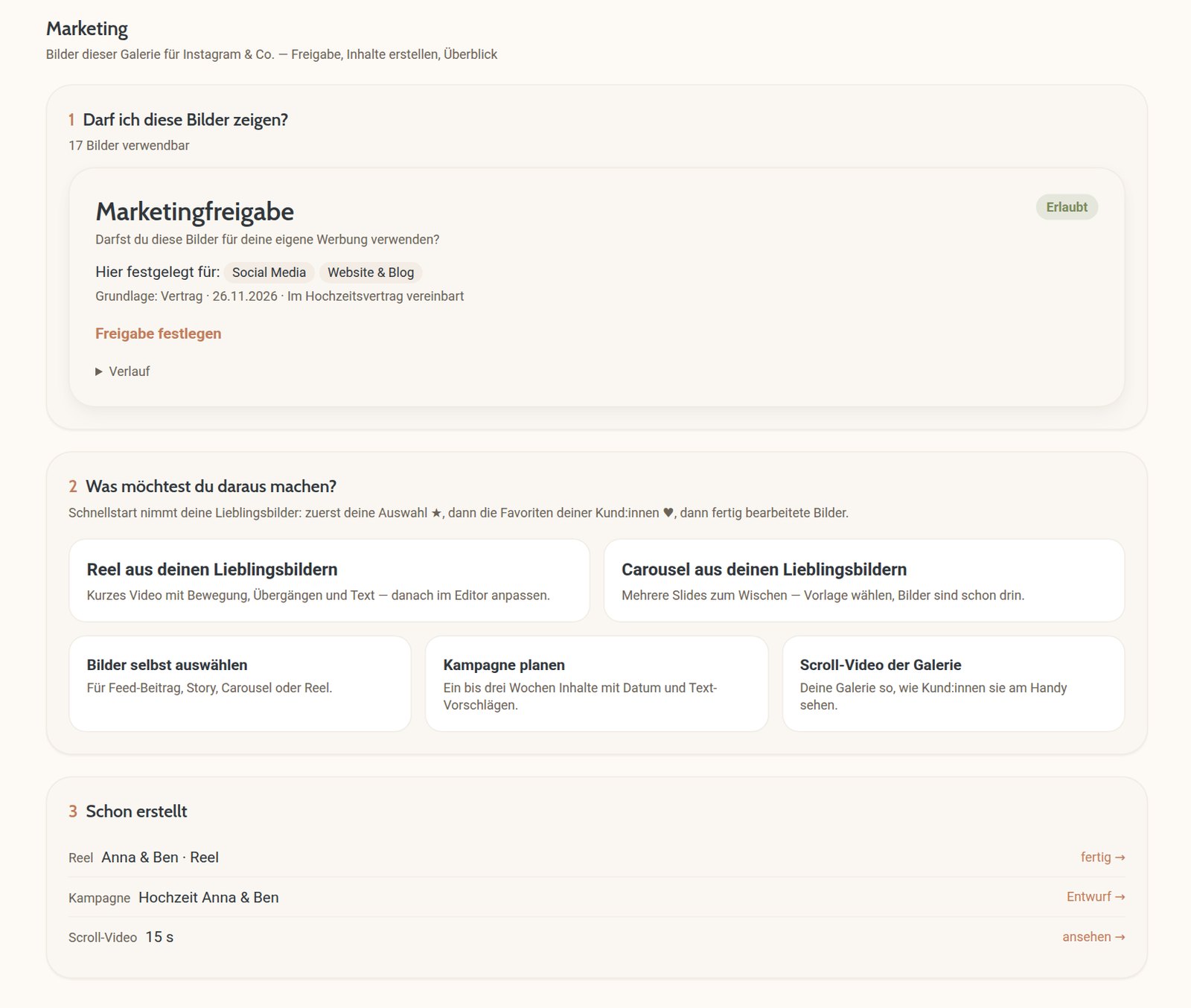
Pick images, pick a template, done: CreatorDesk adds motion, transitions and text. You fine-tune in the timeline and see every change instantly in your browser. Our server renders the finished video, so you don't have to install anything.
Das Content Studio ist ab CreatorDesk Pro und ab Galerie Studio enthalten, auch in der Testphase. View Pricing
- ✓ Six templates: Editorial, Clean Modern, Flash Party, Cinematic Film, Soft Boho and Playful
- ✓ 9:16, 4:5 and 1:1 formats, length of 7, 15 or 30 seconds, up to 20 images
- ✓ Drag and sort clips, set duration and transition per clip, layouts with two or three images and Polaroid
- ✓ Text with its own timing on the track, your logo if you like
- ✓ Set the tempo (BPM) so the cuts match the music you choose in Instagram
- ✓ Result as an MP4 in your media library and as a draft in the Feed Planner
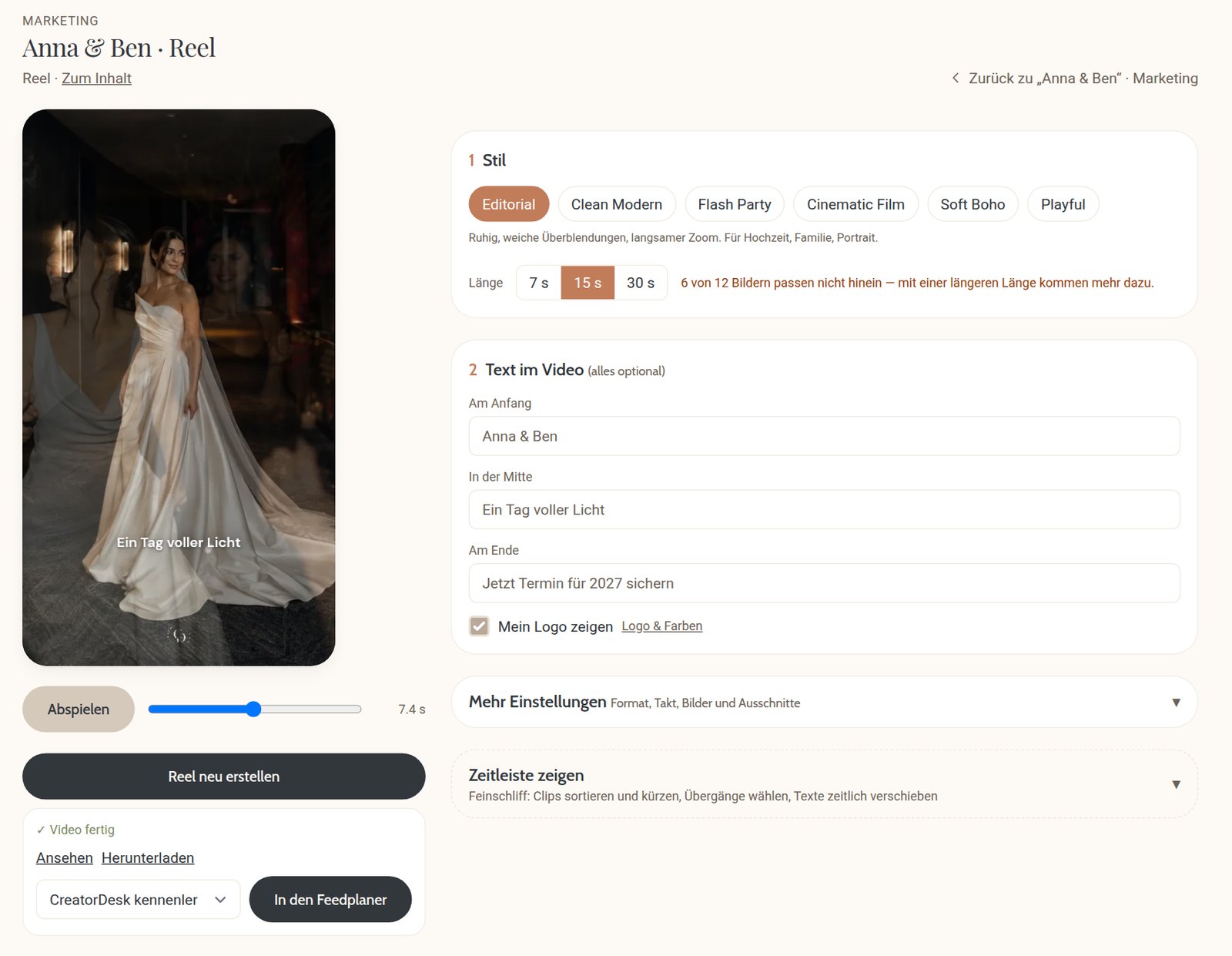
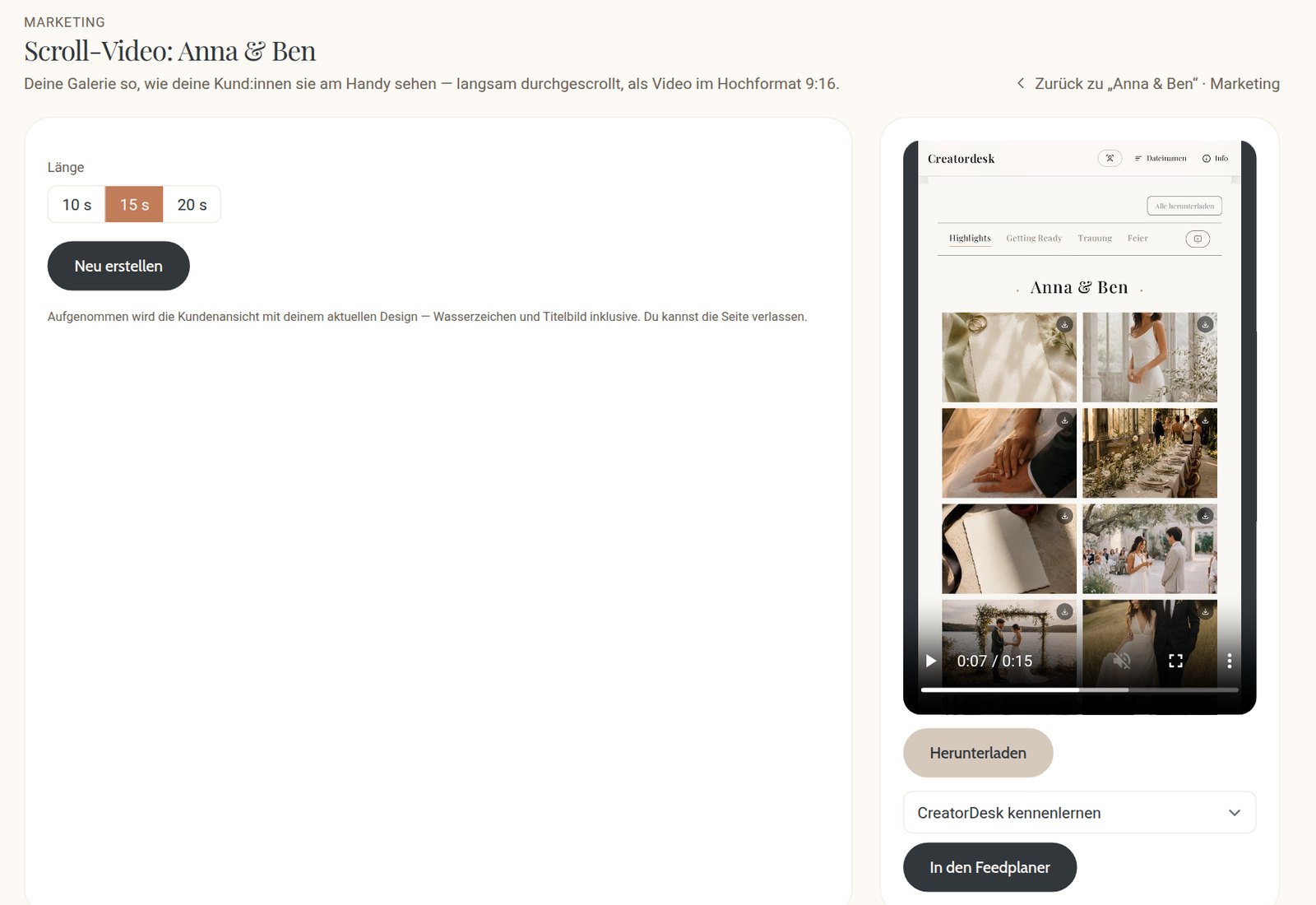
Scrolling video of the gallery
Deine Galerie so, wie Kund:innen sie am Handy sehen: vom Titelbild langsam durch alle Bilder, als Video im Hochformat für Stories und Reels. Hinweise für deine Kund:innen blendet die Aufnahme aus.
Campaigns: one shoot, two weeks of content
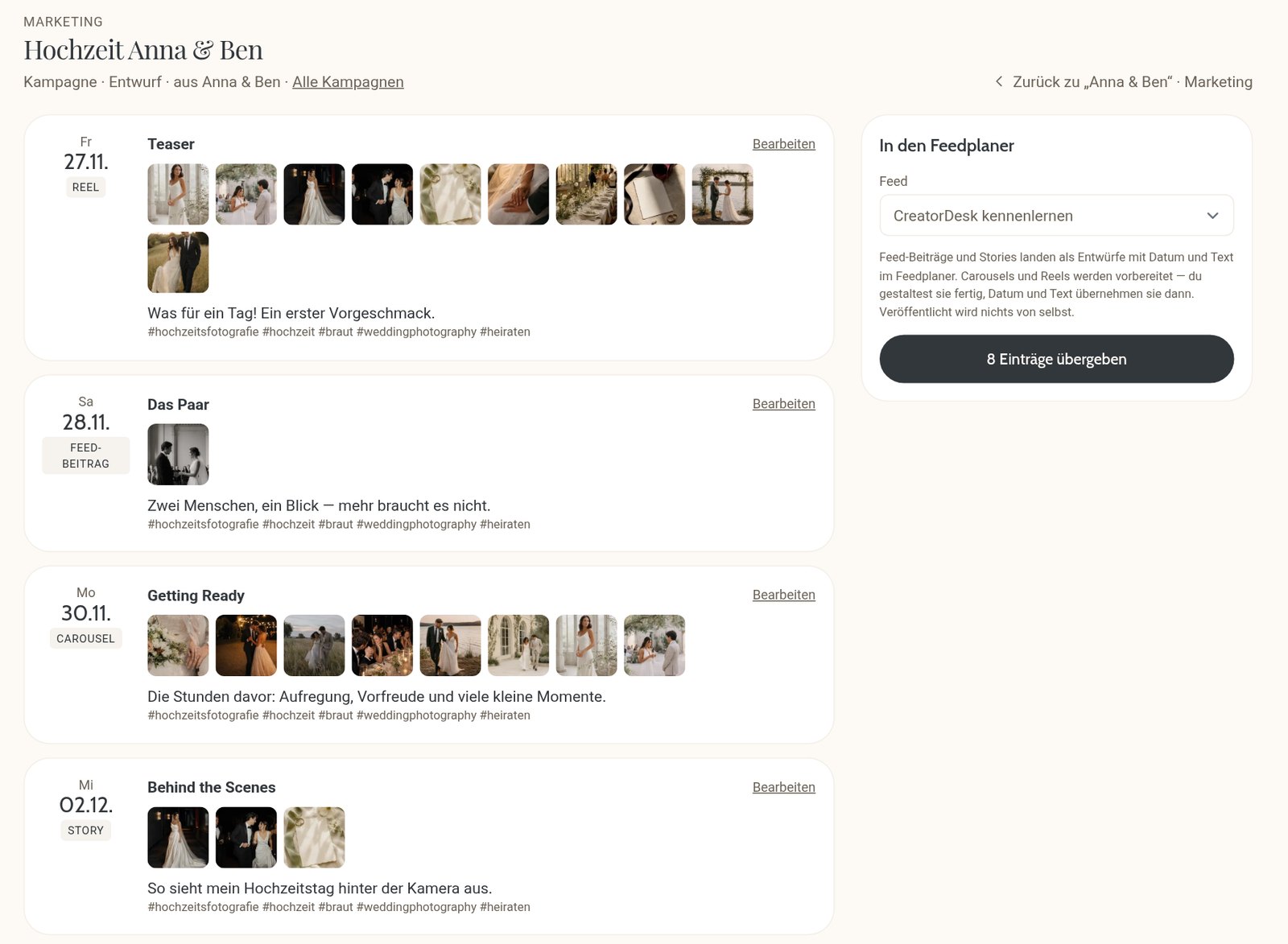
Choose a theme, choose a gallery, set a start date. CreatorDesk plans the content over several days and distributes the images: first your selection, then your clients' favorites.
Six themes
Newborn, wedding, family, business, event and general, each with a suitable flow from the first favorite image to the booking call to action.
Suggested texts
Every entry comes with a title, caption and hashtags. Deliberately without client names; you can adjust everything.
One click into the plan
Feed posts and stories land in the Feed Planner right away, with a date. Carousel and Reel are set up and take over the date and text as soon as you finish them.
Only images you're allowed to show
Not every client wants their shoot on your Instagram. That's why the Content Studio knows marketing consent: you set it per client, project, or gallery, and the Studio follows it.
- ✓ Images without consent or with revoked consent are locked and can't be selected
- ✓ You can only use images with no consent info after an explicit confirmation
- ✓ Exclude individual images with one click, even if the gallery is approved
- ✓ Revocation: scheduled posts with these images are paused, and you get a notification
- ✓ Nothing goes live automatically — every piece of content starts as a draft
Brand profile
Light and dark logo, up to five colors, and two fonts — set them up once and your Reels use them automatically, and Stories get your logo.
Stories in the right format
Every image becomes a story in 1080 × 1920, with your logo if you like, as a draft in the Feed Planner's story strip.
Frequently asked questions about the Content Studio
What is the Content Studio?
The Content Studio turns your galleries into social media content: you find images across all your galleries, collect them, and create feed posts, carousels, stories, and reels from them. Everything ends up as a draft in your Feed Planner — nothing is published on its own.
How do I know which images I'm allowed to use for advertising?
You set your clients' marketing consent per client, project, or gallery: approved, not approved, or revoked. You can't select locked images in the Studio. You can only use images with no consent info after an explicit confirmation. If consent is revoked, CreatorDesk pauses scheduled posts with these images and lets you know.
How is a Reel created?
You choose images and one of six templates, and CreatorDesk builds a Reel with motion, transitions, and text. In the timeline you change the order, duration, layouts, and texts and see the result instantly in your browser. It's then rendered on our server: an MP4 in 9:16, 4:5, or 1:1 with a length of 7, 15, or 30 seconds.
Do the Reels have music?
Reels are exported without sound. You choose the music from Instagram's library when you upload. To make the cuts match the music, you can set a tempo (BPM) in the Studio.
What is a campaign?
A campaign plans several pieces of content for one shoot over a few days, for example newborn with seven pieces in 14 days or wedding with eight in 21 days. CreatorDesk distributes the images automatically, your selection first, then your clients' favorites. Texts and hashtags are suggestions for you to adjust and don't include client names.
Which plan includes the Content Studio?
Das Content Studio mit Reels, Scroll-Video und Kampagnen ist ab CreatorDesk Pro und ab Galerie Studio enthalten, also auch in CreatorDesk Business und Galerie Agentur und in der 14-tägigen Testphase. Den Feed Planner hat jedes Konto kostenlos.
Related: Social Media Planning · Online gallery · All functions
Your galleries are full of content
Registriere dich und teste das Content Studio 14 Tage mit allen Funktionen aus Business. Danach ist es ab CreatorDesk Pro und ab Galerie Studio enthalten.